
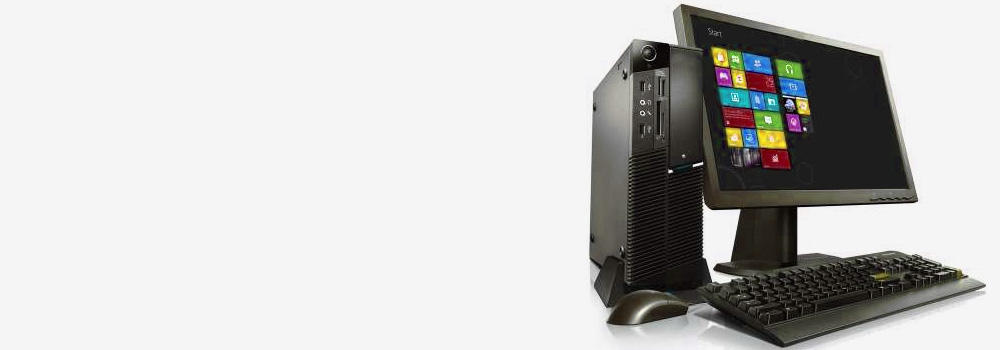







At Exeter Data Recovery, we are Devon’s No.1 Dell PC and laptop recovery specialists, with over 25 years of dedicated experience in recovering data from failed, damaged, or corrupted Dell systems. Whether you use a Dell Inspiron, Latitude, XPS, Precision, or Vostro, our team provides advanced and professional data recovery services for all Dell laptops and desktops.
We specialise in recovering lost or inaccessible data from drives affected by mechanical failure, logical corruption, accidental deletion, malware, or physical damage. With cutting-edge technology and proven technical expertise, we are trusted across Devon for dell inspiron laptop recovery and other Dell system recoveries.
Common Dell PC & Laptop Faults We Recover
Our team handles all major causes of Dell laptop and desktop data loss, including:
● Accidental Deletion & Formatting
- Mistakenly deleted user files or folders
- Drives accidentally formatted or reformatted in another OS
- Data erased during OS reinstallation or factory reset
● File System Corruption
- NTFS or exFAT corruption due to unsafe shutdowns or software crashes
- File systems displaying as RAW or unallocated
- Partition table corruption leading to inaccessible drives
● Hard Drive & SSD Faults
- Bad sectors, weak heads, or read instability
- SSD controller or firmware failure
- Inconsistent SMART status or abnormal power cycles
● Operating System & Boot Issues
- OS not loading or showing “no bootable device”
- Boot sector damage or EFI/UEFI configuration corruption
- Missing or corrupt system files causing failed startup
● Physical & Electrical Damage
- Water or liquid exposure to internal components
- Overheating or sudden thermal shutdown
- Broken connectors, bent pins, or power surge damage
● Malware & Virus-Related Data Loss
- Ransomware-encrypted files
- File corruption caused by infected executable files or bootloader compromise
- Antivirus quarantines or deletions of critical user data
● Interrupted Transfers or Power Loss
- File system corruption from mid-transfer disconnection
- Abrupt shutdown during disk writes
- Incomplete file saves leaving file fragments or ghost data
Our Dell Inspiron Laptop Recovery Process – Step by Step
We follow a carefully managed and non-destructive process for recovering lost data from Dell laptops and desktops:
Step 1: Initial Evaluation
- We perform a detailed diagnostic of the failed device to identify the cause of failure.
- Internal hard disk or SSD is imaged to avoid further risk to original data.
Step 2: Drive Cloning & Data Preservation
- A sector-by-sector clone is created of the affected drive using forensic-grade tools like PC-3000 or Atola Insight.
- Imaging includes handling of unstable drives, retry logic for unreadable sectors, and detailed error logs.
Step 3: Logical File System Analysis
- Partition tables, Master Boot Record (MBR), and GUID Partition Table (GPT) are reconstructed where needed.
- Damaged file systems (NTFS, exFAT, FAT32, etc.) are scanned and recovered using metadata analysis and deep carving tools.
Step 4: File Recovery & Validation
- Files are extracted, sorted, and tested for integrity.
- Priority is placed on recovering user documents, photos, spreadsheets, email archives, and other key data.
Step 5: Data Delivery
- Recovered data is verified and copied to a clean storage device.
- Folder hierarchy, filenames, and timestamps are preserved where possible.
Services Offered
We provide expert recovery for all Dell PC and laptop models, including:
- Dell Inspiron laptop recovery (all models and generations)
- Dell Latitude, XPS, Precision, and Vostro laptops
- Dell OptiPlex, XPS Desktop, and Alienware systems
- Dell hard drives (2.5″ SATA, M.2 SSDs, NVMe)
- Dell drives encrypted with BitLocker (recovery supported with key/passphrase)
- Recovery from Dell systems using Windows 11, 10, 8.1, and 7
Supported File Systems & Storage Types
We recover data from all supported Dell storage systems, including:
- NTFS, exFAT, FAT32, ReFS, and BitLocker-encrypted volumes
- HDD, SSD, Hybrid (SSHD), NVMe, and PCIe drives
- File recovery from drives in legacy BIOS and UEFI/Secure Boot systems
- External USB drives and SD cards used with Dell systems
- Recovery from Dell backup partitions or failed system recovery environments
Why Choose Exeter Data Recovery?
- 25+ Years of Experience with Dell Devices
- Advanced Tools for Dell SSD and Firmware-Level Recovery
- No Outsourcing – All Work Performed In-House in Exeter
- Free Diagnostic and Zero Data, Zero Fee Guarantee
Contact Devon’s Dell Recovery Experts Today
If your Dell PC or laptop has failed, is not booting, or has experienced unexpected data loss, don’t risk further damage by using software-based recovery tools or continuing to operate a failing drive.
Contact Exeter Data Recovery—Devon’s trusted specialists in dell inspiron laptop recovery. We offer expert diagnostics and professional recovery solutions tailored for Dell users.
📞 Call now to schedule your free diagnostic and consultation.