
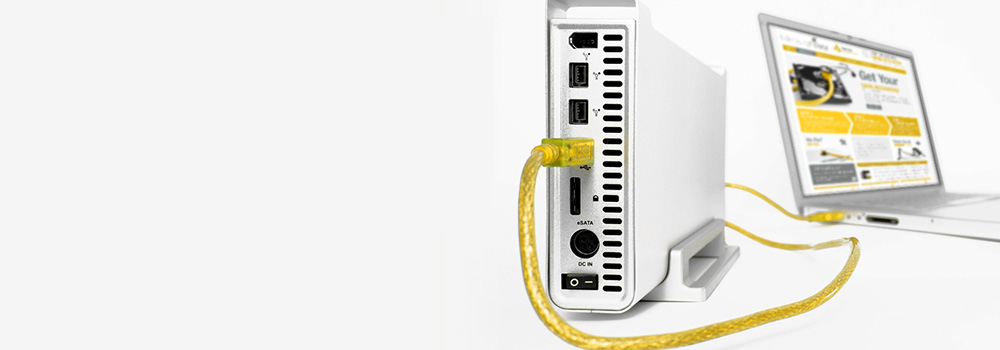







At Exeter Data Recovery, we are proud to be Devon’s leading authority in data recovery from damaged external hard disks, specialising in all models of Iomega external hard drives. With over 25 years of industry experience, our engineers have the tools and technical knowledge to recover data from physically, logically, or electronically damaged drives, no matter the failure mode or interface.
Whether your Iomega drive has stopped responding, been accidentally formatted, suffered a power surge, or encountered mechanical damage, Exeter Data Recovery can help. We offer complimentary diagnostics and a no-obligation evaluation.
Top 10 Best-Selling Iomega External Hard Disk Models We Recover Data From
We support all Iomega drives, including the most popular consumer and business models:
- Iomega Prestige Portable Hard Drive
- Iomega eGo Portable Hard Drive
- Iomega Select Desktop Hard Drive
- Iomega Professional External Hard Drive
- Iomega UltraMax Plus Desktop Hard Drive
- Iomega MiniMax Desktop Hard Drive
- Iomega eGo BlackBelt Rugged Hard Drive
- Iomega ScreenPlay Multimedia Drive
- Iomega StorCenter ix2 and ix4 Series
- Iomega REV External Drive
Interfaces We Support for Iomega Drives
Our lab is fully equipped to recover data from all external drive interface types used in Iomega products:
- SATA (Serial ATA)
- PATA / IDE (Parallel ATA)
- USB 2.0 / USB 3.0 / USB-C
- FireWire 400/800
- eSATA
- SCSI / Ultra SCSI
- SAS (Serial Attached SCSI)
- NVMe (via USB enclosure or bridge)
- M.2 and U.2 Interfaces
- PCIe (Peripheral Component Interconnect Express)
Top 30 Iomega External Hard Disk Recovery Faults – Detailed Technical Overview
We specialise in the following failure scenarios, applying industry-standard recovery methodologies and specialist tools for each type:
1. Mechanical Failure
Cause: Head crash, spindle seizure, or motor failure.
Recovery: Platter inspection, head stack replacement from donor, servo calibration, and controlled imaging.
2. Bad Sectors
Cause: Physical platter damage or media degradation.
Recovery: Sector-level cloning using hardware imagers with error-handling algorithms (e.g., Deepspar or PC-3000).
3. Firmware Corruption
Cause: Failed firmware modules prevent drive initialisation.
Recovery: Direct access to Service Area (SA) using vendor-specific tools to reload or patch firmware.
4. Logical File System Corruption
Cause: OS crash, improper ejection, or software error.
Recovery: File system repair through logical volume reconstruction (NTFS, FAT32, HFS+, EXT3/4, etc.).
5. PCB (Printed Circuit Board) Failure
Cause: Electrical surge, component burnout.
Recovery: PCB swap with ROM chip transplant to retain drive calibration data; access drive through donor board.
6. Accidental File Deletion
Cause: User error, shift+delete without backup.
Recovery: Forensic-level file carving from MFT or equivalent metadata structure.
7. Drive Not Recognised by BIOS/System
Cause: Firmware fault, controller failure, or PCB issue.
Recovery: Interface analysis and microcontroller reprogramming or bypass using diagnostic ports.
8. Power Surges / Electrical Failure
Cause: Unregulated power supply or surge.
Recovery: Component-level PCB repair; voltage regulation testing and component replacement.
9. Head Crash
Cause: Shock or vibration during operation.
Recovery: Head assembly replacement, platter inspection, recovery using low-force imaging.
10. Platter Damage
Cause: Contact with read/write heads due to impact.
Recovery: Microscopic surface scan; recovery from unaffected platters or regions using adaptive imaging.
11. SSD Controller Failure
Cause: Integrated controller malfunction.
Recovery: Controller reinitialisation or chip-off recovery if controller is inaccessible.
12. NAND Flash Wear (SSD Degradation)
Cause: Excessive P/E cycles leading to unreadable cells.
Recovery: NAND readout via hardware programmer; ECC correction and block mapping reconstruction.
13. Accidental Formatting or Reinitialisation
Cause: Drive mistakenly reformatted by OS.
Recovery: Partition and volume reconstruction using heuristic and metadata analysis.
14. Overheating
Cause: Prolonged use in non-ventilated conditions.
Recovery: Damage assessment, PCB rework, drive stabilisation before imaging.
15. Encrypted Drive Failures
Cause: BitLocker or third-party encryption inaccessible due to corruption.
Recovery: Decryption via recovery key or hardware key extraction; raw image recovery and logical rebuild.
16. Stiction (Heads Stuck to Platter)
Cause: Sudden shutdown or high humidity.
Recovery: Manual head release; inspection for scratches and reassembly.
17. Unusual Clicking/Beeping Sounds
Cause: Head misalignment or failed preamp.
Recovery: Replace head stack, calibrate servo, and perform non-intrusive read attempts.
18. Partition Table Corruption
Cause: Software crash or improper formatting.
Recovery: Reconstruction of GPT/MBR partition schemes via recovery utilities and manual verification.
19. Slow Read/Write Speeds
Cause: Failing sectors or firmware conflict.
Recovery: Clone failing drive sector-by-sector with read delays and reattempt protocols.
20. Drive Beeping (Stuck Spindle Motor)
Cause: Jammed motor bearings.
Recovery: Platter transfer to donor chassis with matching alignment; precise motor calibration.
21. Unsupported or Legacy Interfaces
Cause: Obsolete connection types (e.g., FireWire, SCSI).
Recovery: Use of legacy hardware bridges and emulators to access data.
22. Dropped Drive Impact
Cause: Physical trauma while connected or in use.
Recovery: Internal inspection, head replacement, and platter balance restoration.
23. Corrupted Boot Sector
Cause: Malware or improper formatting.
Recovery: Boot sector recreation and file system repair via hex-level editing.
24. Media Wear from Continuous Use
Cause: Age-related degradation.
Recovery: Soft imaging first, followed by low-level block extraction for heavily used areas.
25. File Transfer Interruption
Cause: Power loss or cable disconnection.
Recovery: File reconstruction from fragmented transfer points and cache areas.
26. File System Not Recognised
Cause: Corruption or use on incompatible OS.
Recovery: Load drive into compatible forensic environment; mount volume manually.
27. Read/Write Head Misalignment
Cause: Physical shock or manufacturing defect.
Recovery: Realignment in lab using servo-guided calibration methods.
28. Data Overwritten
Cause: New files saved over deleted space.
Recovery: Recovery limited to untouched sectors; partial files restored where possible.
29. Drive Initialised by Error
Cause: Misinterpreted as new volume by OS.
Recovery: Partition recovery and data carving from pre-initialised space.
30. Manufacturing Defects
Cause: Early failure due to controller or firmware instability.
Recovery: Known workarounds applied, including firmware swaps, PCB modification, and drive reprogramming.
Why Choose Exeter Data Recovery for Iomega Drives?
- 25+ years’ experience in recovering data from Iomega external hard disks
- Expertise in all external interfaces and drive technologies
- UK-based engineers with 95% success rate in complex cases
- Transparent service with free diagnostics and no-obligation assessment
- GDPR-compliant processes to protect your data
Supported Iomega Drive Technologies
We work with all Iomega external storage configurations:
- Desktop and Portable Drives
- RAID-based StorCenter Devices
- Legacy interfaces (FireWire, SCSI)
- USB-powered and external PSU-based drives
- Encrypted and unencrypted volumes
Contact Exeter Data Recovery Today
Don’t let data loss become permanent. If your Iomega external hard drive has failed, contact our specialist engineers now for a free diagnostic evaluation.
📍 Exeter-Based, Serving Nationwide
📞 Call: 0800 6890668
🕓 Hours: Mon–Fri, 9am–5.30pm