
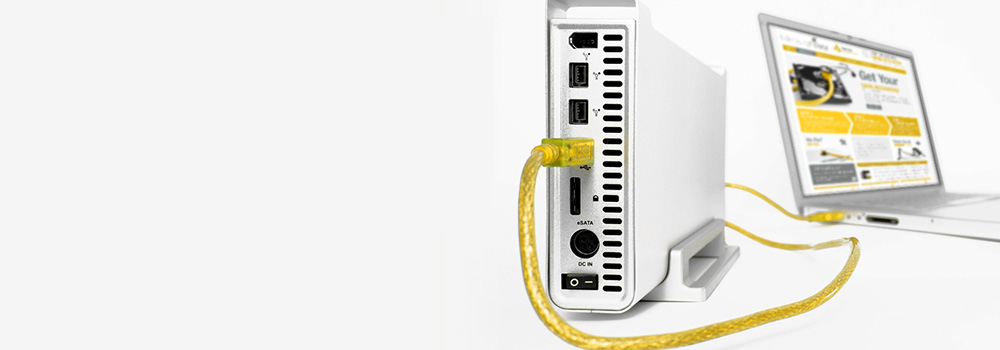







With over 25 years of experience, Exeter Data Recovery is Devon’s leading provider of professional LaCie hard drive data recovery services. Whether you’ve suffered accidental deletion, mechanical damage, file system corruption, or RAID failure, our expert team is equipped with the tools and technical knowledge required to recover your valuable data from any LaCie external or NAS storage device.
We offer advanced recovery for all LaCie model series, supporting all storage interfaces and file systems – from USB-C SSDs to multi-bay NAS units.
Top 25 LaCie External and NAS Drive Models We Support
Our lab supports data recovery from the most popular LaCie drives sold across the UK, including:
- LaCie Rugged USB-C
- LaCie Rugged Mini
- LaCie Rugged Thunderbolt
- LaCie Rugged SSD Pro
- LaCie Rugged RAID Pro
- LaCie Mobile Drive
- LaCie Portable SSD
- LaCie d2 Professional
- LaCie 2big RAID
- LaCie 2big Dock Thunderbolt 3
- LaCie 4big RAID
- LaCie 5big Thunderbolt 2
- LaCie 6big Thunderbolt 3
- LaCie 12big Thunderbolt 3
- LaCie Porsche Design Desktop Drive
- LaCie Porsche Design Mobile Drive
- LaCie Fuel Wireless Drive
- LaCie CloudBox
- LaCie NAS OS 4 Drives
- LaCie Ethernet Disk mini
- LaCie Ethernet Big Disk
- LaCie SilverKeeper Backup Drive
- LaCie Brick Desktop External
- LaCie FireWire Desktop
- LaCie SAFE Drive with Fingerprint Access
We provide data recovery for both current and legacy LaCie storage solutions, including RAID-enabled systems and encrypted storage.
Supported Connection Types
We support all LaCie external and NAS drives, regardless of interface, including:
- SATA (Serial ATA)
- PATA / IDE (Parallel ATA)
- NVMe (Non-Volatile Memory Express)
- SCSI (Small Computer System Interface)
- SAS (Serial Attached SCSI)
- PCIe (Peripheral Component Interconnect Express)
- M.2 and U.2 Interface
- eSATA (External SATA)
- USB 3.0 / USB 2.0
- USB-C / Thunderbolt
- FireWire (400 / 800)
Comprehensive Fault Recovery – Technical Explanation & Methods
Below are the most common LaCie hard drive data recovery issues we handle, along with professional recovery techniques:
1. Mechanical Failure
Symptoms: Clicking, no spinning, buzzing
Recovery: Internal disassembly, donor part head swap, spindle repair
2. Bad Sectors
Symptoms: Files unreadable, system freezes
Recovery: Imaging with sector error handling and block-by-block analysis to isolate damage
3. Firmware Corruption
Symptoms: Drive detected incorrectly or not at all
Recovery: Firmware module reloading using manufacturer-specific protocols
4. Logical File System Corruption
Symptoms: File paths missing, unreadable volumes
Recovery: Metadata analysis, file system table repair (e.g., NTFS, exFAT, HFS+, EXT)
5. PCB (Printed Circuit Board) Failure
Symptoms: No power, short circuits
Recovery: Replacement of PCB and transplant of EEPROM for firmware compatibility
6. Accidental File Deletion
Symptoms: Files permanently deleted without backup
Recovery: Unallocated space scanning for residual data, file header reconstruction
7. Drive Not Recognised by System or BIOS
Symptoms: Drive not showing in Disk Management or BIOS
Recovery: Interface testing, microcontroller analysis, firmware boot sector recovery
8. Power Surge or Electrical Damage
Symptoms: Smoke, burnt smell, no response
Recovery: Component-level electrical repair and controlled testing
9. Head Crash
Symptoms: Grinding noises, severe physical damage
Recovery: Disassembly, head stack replacement, platter inspection
10. Platter Damage
Symptoms: Drive spins but cannot read data
Recovery: Partial recovery from readable sectors, non-contact imaging
11. SSD Controller Failure
Symptoms: SSD visible but inaccessible or wrong capacity
Recovery: Controller replacement or direct NAND readout using chip readers
12. NAND Flash Wear (SSD Degradation)
Symptoms: SSD becomes read-only, random errors
Recovery: Raw NAND dump, error correction and logical volume reconstruction
13. Accidental Formatting or Reinitialisation
Symptoms: “Drive needs to be formatted” message
Recovery: Partition and file table rebuild using raw data structure mapping
14. Overheating or Thermal Shutdowns
Symptoms: Random disconnections, device too hot
Recovery: Drive stabilised in temperature-controlled environment, then imaged
15. Encrypted Drive Failures
Symptoms: Password prompt failure or lost credentials
Recovery: Decryption attempts with key image analysis (where user key is available)
16. RAID Controller Failure in LaCie NAS Devices
Symptoms: RAID array offline or drives show independently
Recovery: Manual RAID reconstruction (RAID 0/1/5/6/10) and parity checks
17. NAS Volume Mount Failures
Symptoms: Shared folders not accessible
Recovery: LVM mapping, EXT/BTRFS repair, and NAS OS volume table rebuild
18. Corrupted Partition Table
Symptoms: “Unallocated space” message
Recovery: MBR or GPT restoration and boot sector repair
19. Deleted Network Shares
Symptoms: Volumes missing from network
Recovery: Scan for unlinked files and volume metadata to restore access
20. NAS Firmware Update Failures
Symptoms: Drive failed after system update
Recovery: System rollback and manual firmware correction
21. USB Bridge Board Failures (Common in External LaCie Drives)
Symptoms: Lights on but drive undetected
Recovery: Direct SATA/NVMe access by bypassing the USB interface
22. Dropped Drive Damage
Symptoms: External casing damage, drive fails to mount
Recovery: Full internal examination and component repair
23. Stiction (Stuck Read/Write Heads)
Symptoms: No spin, buzzing motor
Recovery: Manual head parking and controlled reactivation
24. Bit Rot or Data Degradation Over Time
Symptoms: Corrupted or unreadable files after long-term storage
Recovery: Sector verification, ECC checks and recovery of stable regions
25. NAS Disk Desynchronisation
Symptoms: Drives out of RAID sync
Recovery: Independent disk imaging and synchronisation during virtual rebuild
Why Choose Exeter Data Recovery?
- 🧠 25 Years of Data Recovery Experience
- 🔐 Encrypted & RAID-Capable Recovery Expertise
- 🖥️ Support for All LaCie Devices & Interfaces
- 📍 Devon-Based Lab with Nationwide Service
- 🔍 Advanced Recovery for SSDs and HDDs
- 🆓 Free Diagnostics with No Commitment
What to Do If Your LaCie External or NAS Drive Fails
- Power off the device immediately to avoid further data loss
- Do not reformat or initialise the drive when prompted
- Avoid DIY tools that may overwrite or damage data further
- Contact Exeter Data Recovery as soon as possible for expert assistance